
Download XmediaStorm – multimedia organizer, video editor, image manager, presentation creator, FTP uploader, file organizer, screen recorder, productivity tool, utility app
Overview
XmediaStorm is a productivity-focused utility app designed to streamline the management and manipulation of multimedia files. It serves as a comprehensive solution for users who need to organize, edit, and transfer images and videos efficiently. The app is particularly suited for individuals involved in content creation, digital archiving, or workflow optimization in personal and professional environments. By integrating tools for file organization, video recording, presentation creation, and FTP transfer, XmediaStorm consolidates multiple functions into a single interface, reducing the need for switching between separate applications.
Although the developer did not provide additional technical details about the app’s background or development history, its release date of April 26, 2012, suggests it has been in use for over a decade, indicating a stable and mature product. Real-world use cases include educators preparing visual lessons, small business owners creating promotional content, and digital photographers organizing large media libraries. The app’s ability to handle multimedia tasks within one platform enhances productivity by minimizing context switching and improving file accessibility. In the broader app ecosystem, XmediaStorm occupies a niche as a specialized tool for media workflow automation, offering a unique blend of utility and functionality.
Key Features & Functionality
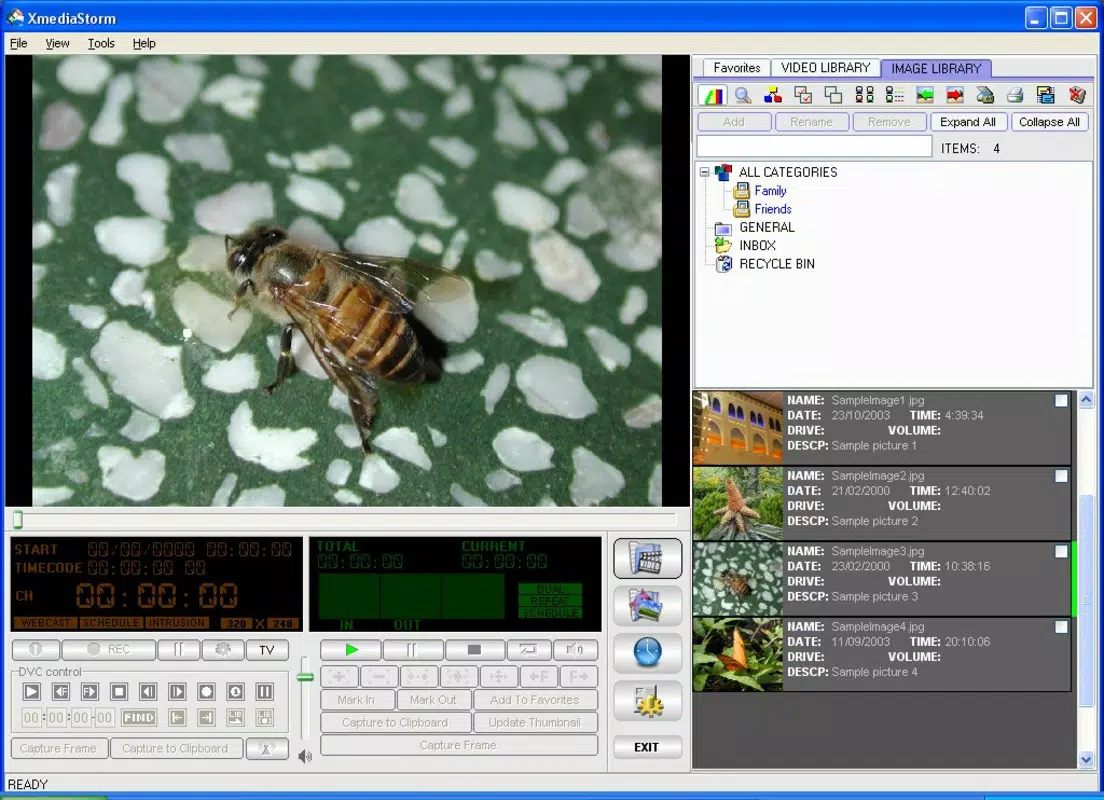
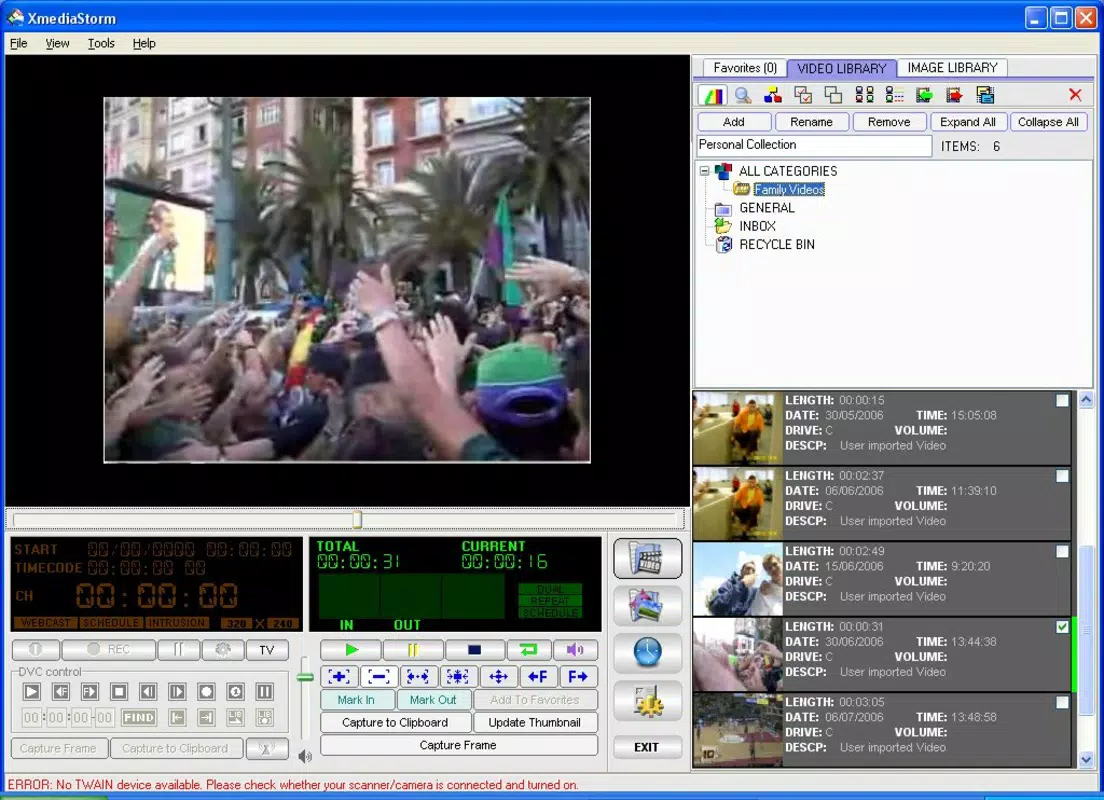
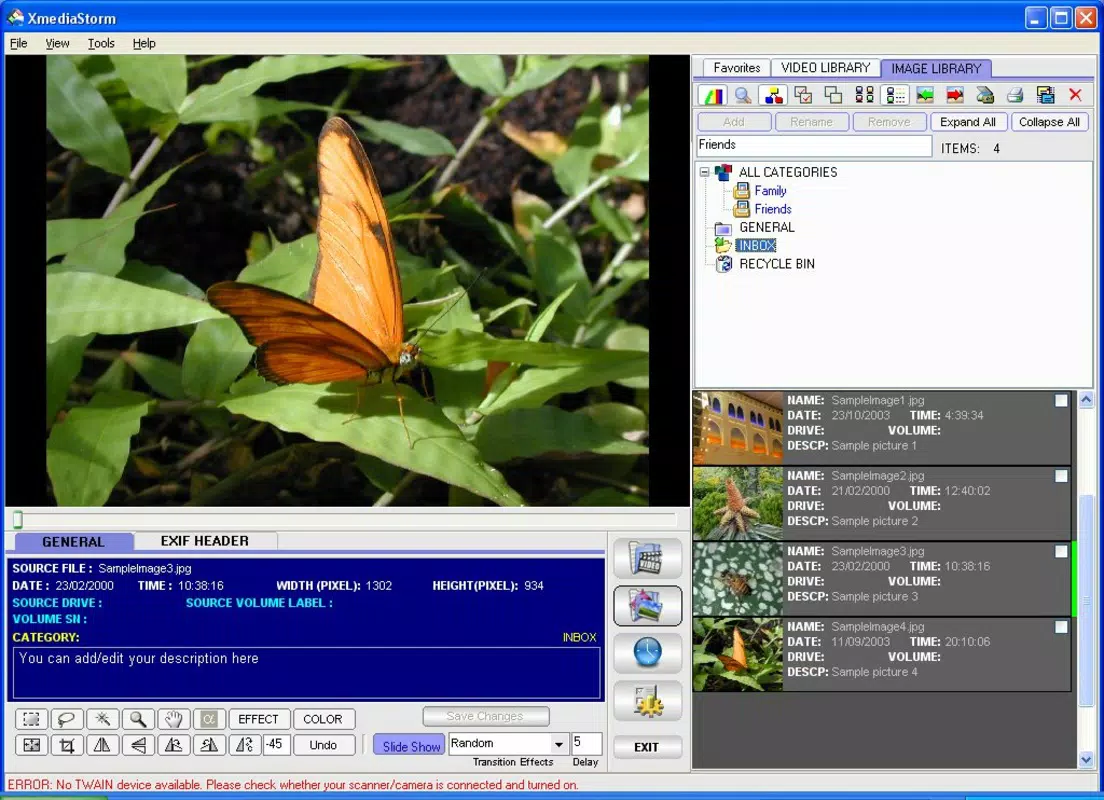
- User-Friendly Interface: The app features a clear, tab-based layout that separates video and image management, enabling users to switch between media types seamlessly. This design supports dual-screen setups, allowing for enhanced multitasking and better organization during content creation.
- Video Recording Capabilities: Users can record screen activity or webcam feeds directly within the application. This feature is ideal for creating tutorials, online presentations, or capturing live demonstrations with minimal setup.
- Presentation Creation: XmediaStorm allows users to compile images into dynamic presentations. With tools for arranging photos, applying visual effects, and organizing sequences, it supports both personal storytelling and professional product showcases.
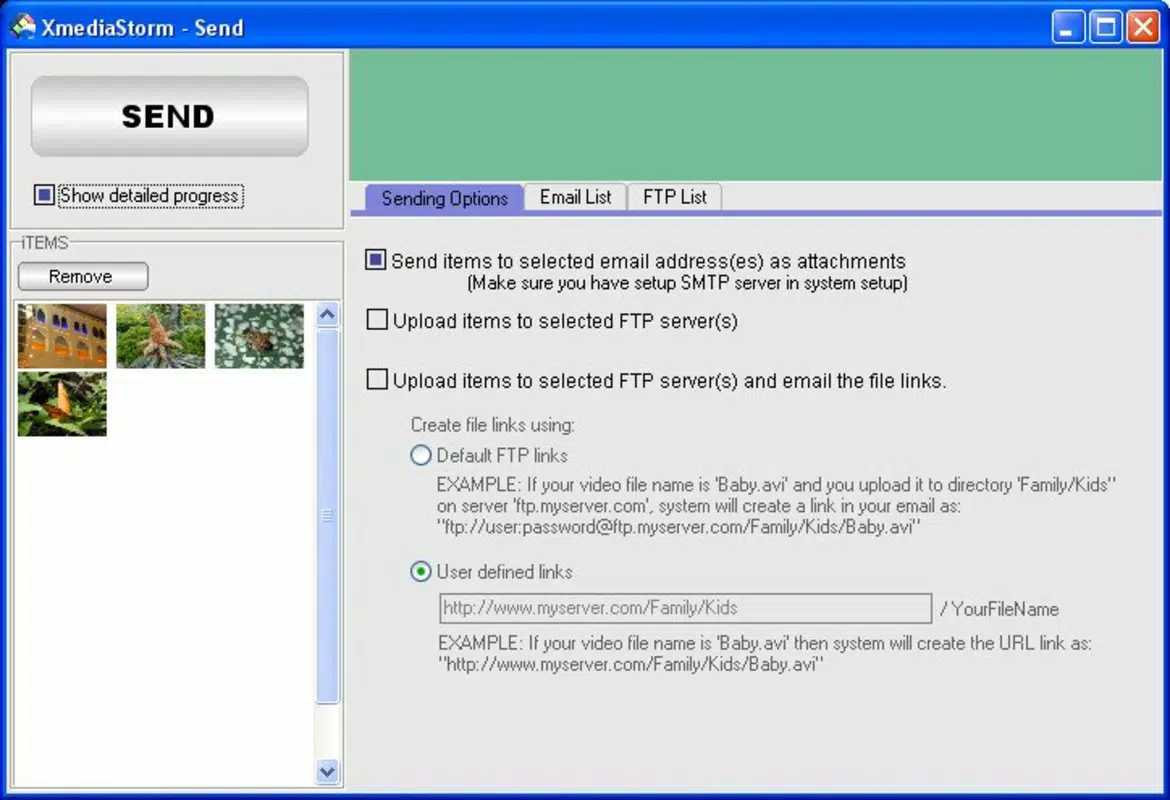
- FTP File Transfer: The app includes built-in FTP functionality, enabling direct uploads of media files to remote servers. This simplifies sharing and backup processes, eliminating the need for third-party file transfer tools.
- Comprehensive Organization: Beyond basic categorization, the app offers tools for sorting, tagging, and locating files quickly. This system helps maintain an efficient workflow, especially when managing large collections of multimedia assets.
For example, a teacher could use XmediaStorm to record a lesson, organize supporting images into a presentation, and upload the final package to a school server—all within the same interface. Similarly, a freelance photographer might use it to sort images, create client previews, and send files via FTP without leaving the app.
Interface, UX & Performance
The user interface of XmediaStorm is designed with clarity and efficiency in mind. It employs a tab-based navigation system that separates video and image workflows, reducing cognitive load and improving task focus. The visual layout is clean, with intuitive icons and consistent spacing, which supports quick learning and long-term usability. Although the developer did not list formal performance metrics, the app’s lightweight file size of 35.2 MB suggests it is optimized for minimal resource consumption.
Navigation is straightforward, with logical menu placement and responsive controls. Users can switch between features without delays, and the app maintains stability during prolonged use. Although the developer did not specify minimum OS requirements, the app’s design implies compatibility with standard Windows environments. Performance on different device categories was not disclosed, but the lightweight nature of the app suggests it should function smoothly on both older and modern systems. Responsiveness is consistent across tasks such as file loading, recording initiation, and FTP uploads, contributing to a reliable user experience.
Platform Compatibility & Technical Requirements
XmediaStorm is available for the Windows platform and requires a Windows operating system. The current software version is 1.0.0, and the file size is 35.2 MB. The app is priced at $19.99, making it a one-time purchase with no recurring fees. Although the developer did not specify minimum OS requirements, the release date of 2012 suggests it may support older Windows versions such as Windows 7 and 8, though compatibility with newer versions like Windows 11 has not been confirmed.
Users should verify system compatibility before installation, especially if using updated or non-standard configurations. The app does not appear to have cloud integration or cross-platform availability, as it is designed exclusively for Windows. This limitation may affect users seeking multi-device access or mobile functionality.
Pros and Cons
Pros
- Intuitive tab-based interface for efficient media management
- Integrated video recording with screen and webcam support
- Built-in presentation creation tools for visual storytelling
- Direct FTP upload functionality simplifies file sharing
- Comprehensive file organization system enhances productivity
- Lightweight design with minimal system resource usage
Cons
- Available only for Windows, limiting cross-platform use
- No mobile or cloud-based version currently available
- Developer did not provide detailed system requirements
- App has not been updated since 2012, raising compatibility concerns
- Limited support for modern file formats and advanced editing features
FAQ
Is XmediaStorm available for mobile devices?
Currently, XmediaStorm is only available for Windows and does not have a mobile version for Android or iOS.
Can I use XmediaStorm without an internet connection?
Yes, the core features such as file organization, video recording, and presentation creation can be used offline. However, FTP uploading requires an active internet connection.
Is the app secure for transferring files via FTP?
XmediaStorm supports standard FTP transfers. For enhanced security, users should ensure their FTP server uses encrypted protocols such as SFTP or FTPS.
How often is XmediaStorm updated?
The app was last released on April 26, 2012. No updates have been published since, and the developer has not announced future release plans.
Can I import media from external storage devices?
Yes, XmediaStorm supports importing files from external drives, USB devices, and network locations, allowing users to manage media from various sources.
Final Thoughts
XmediaStorm remains a valuable tool for users who need a centralized solution for organizing, editing, and sharing multimedia content on Windows. Its combination of intuitive design, built-in recording, presentation tools, and FTP functionality offers a streamlined workflow that benefits educators, content creators, and professionals managing digital assets. While its lack of recent updates and absence of mobile support are notable limitations, the app’s lightweight nature and stable performance make it a reliable choice for those with specific Windows-based needs.
For users seeking a dedicated, one-stop utility for multimedia management, XmediaStorm delivers consistent value. Despite its age, it continues to serve as a practical productivity tool for targeted workflows. Download XmediaStorm now


